


Checkout & order processing: reducing friction after “Add to Cart”
Most stores obsess over homepage design and ignore checkout — which is wild, because this is where the money happens. Shopify lets you control key behaviours like fulfilment flow and order archiving from your checkout settings. You can choose to fulfil orders automatically or manually, and you can choose how and when orders are archived after completion.
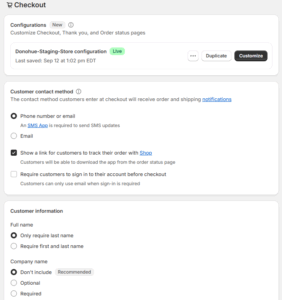
Here’s how we think about it. If you ship fast, low-complexity products with predictable stock, auto-fulfilment can make sense. When an order comes in, Shopify can mark it as fulfilled, send “Your order has shipped,” and move on. But if you sell custom configurations, bulky freight, or items with variable lead time, you want manual fulfilment. That gives you a checkpoint to verify payment, stock, and dispatch method before promising anything to the customer.
Once an order is placed, all order management happens from the Orders page in your admin: capture payments, review order details, print shipping docs, and prep for fulfilment. You can also edit orders, refund, or cancel if needed — it all lives in one workflow. his keeps finance, warehouse, and customer service looking at the same source of truth.
Our standard move with clients is to streamline the post-checkout workflow so no one is guessing: who checks risk, who confirms stock, who prints labels, who triggers customer comms. Clean process = fewer “where is my order?” emails and more referrals.
If you’d like us to pressure test your checkout experience and post-purchase process, reach out here and we’ll map it against conversion and retention, not just “does it work.”


Comments (4)